The “attention span epidemic” isn’t just short videos. It’s attention friction: tiny interruptions + micro-decisions that quietly snap your concentration.
This audit is a fast diagnosis. No shame. No hype. Just: find your leaks → apply the smallest fix that actually holds.
What is attention friction?
Attention friction is the drag that makes focus harder than it needs to be:
-
switching apps
-
checking “just one thing”
-
open loops sitting in your head
-
noise + interruptions
-
unclear next steps
You don’t need superhuman discipline. You need less drag between you and the work.
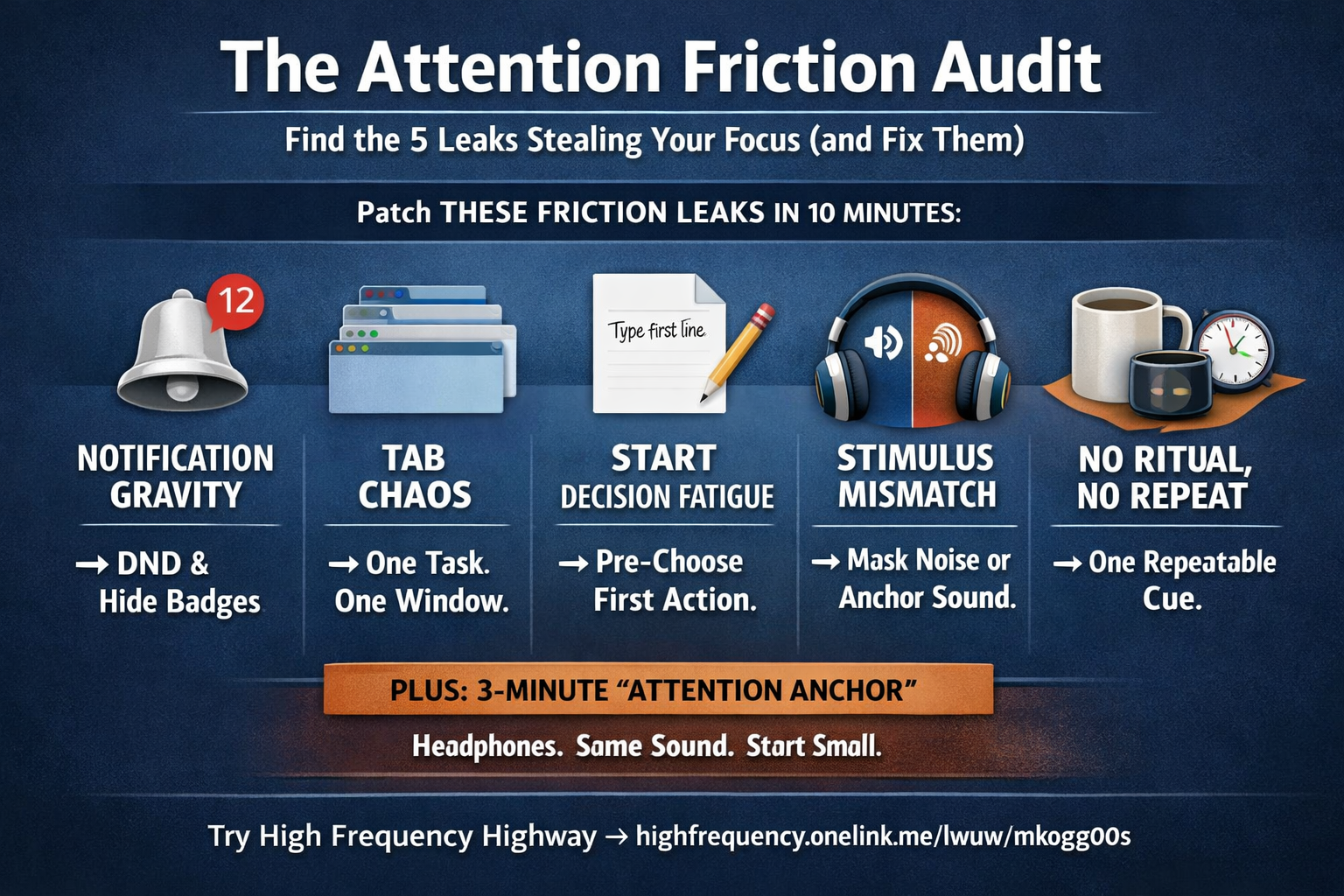
The 5-Leak Audit (10 minutes)
Answer fast. No overthinking. You’re looking for your biggest “yank points.”
Leak #1: Notification gravity
Question: How often do pings pull you even when you don’t open them?
Fix (pick one, commit for 7 days):
-
Use Do Not Disturb during work blocks
-
Turn off badges (they’re tiny panic buttons)
-
Move your most distracting apps off your home screen (friction works both ways)
Why it works: you’re cutting the cue, not relying on willpower.
Leak #2: Tab chaos
Question: How many tabs are open during “deep work”?
Fix:
-
One task = one window.
-
Anything else goes into a “Parking Lot” note (one running list).
Parking Lot template (copy/paste):
-
Later: ______
-
Waiting on: ______
-
Ideas: ______
Why it works: your brain stops scanning for “maybe I should…”
Leak #3: Decision fatigue at the starting line
Question: Do you burn the first 10 minutes “getting set up” instead of starting?
Fix: Pre-choose the first action so you can begin without negotiating.
Examples:
-
“Write the first sentence.”
-
“Open the doc and rename it.”
-
“Create the outline with 5 bullets.”
-
“Draft the ugly version for 7 minutes.”
Why it works: momentum is a switch—decision friction keeps it off.
Leak #4: Stimulus mismatch
Question: Is your environment too stimulating (noise, movement, conversation)… or too quiet (your thoughts get loud and wander)?
Fix: match the room to the task.
-
If it’s noisy: add a masking layer (rain / pink noise)
-
If it’s too quiet: add a steady anchor sound (soft ambient / fan / café hum)
Why it works: predictable sound reduces your brain’s “what was that?” reflex.
Leak #5: No ritual = no repeatability
Question: Do you “wing it” every day—different time, different setup, different vibe?
Fix: create one repeatable cue you start the same way every time.
Examples:
-
same playlist + same desk posture
-
same drink + same timer
-
same headset + same app + same first action
Why it works: you’re building a shortcut: cue → start, without debate.
The 3-Minute “Attention Anchor” ritual
Simple enough to keep. Strong enough to matter.
-
Put on headphones
-
Start one consistent base sound (rain / pink noise / soft ambient)
-
Optional: add a subtle structure layer (if you like it—not required)
-
Set a timer for 3 minutes
-
For those 3 minutes, do only the first tiny action
You’re teaching your brain: “This sound means start.”
Why sound helps (without making medical claims)
Sound works best as design, not mysticism.
-
reduces random environmental variation
-
creates a predictable cue
-
makes switching feel less rewarding because the “start state” is stable
The win isn’t magic frequencies. The win is a repeatable start you can actually repeat.
Outside-the-box upgrade: train single-task endurance
Once per day, do a 10-minute block where you’re allowed one thing only:
-
one document
-
one task
-
one sound loop
That’s it. No multitasking. No “quick checks.”
Your brain adapts to what you practice.
Never forget this: Try High Frequency Highway
Share:
The Attention Span Epidemic: A Focus Protocol You Can Run Today
The Two-Minute Drill for Focus